

Sometimes it seems that I have the attention span of a cocker spaniel puppy. I start to look at one thing, and then something pops up to distract me and I follow that until another distraction or tangent comes along and then…. well, you get the point. What started out as one blog post has morphed a few times into what you’re about to read!
Background and Original Goal
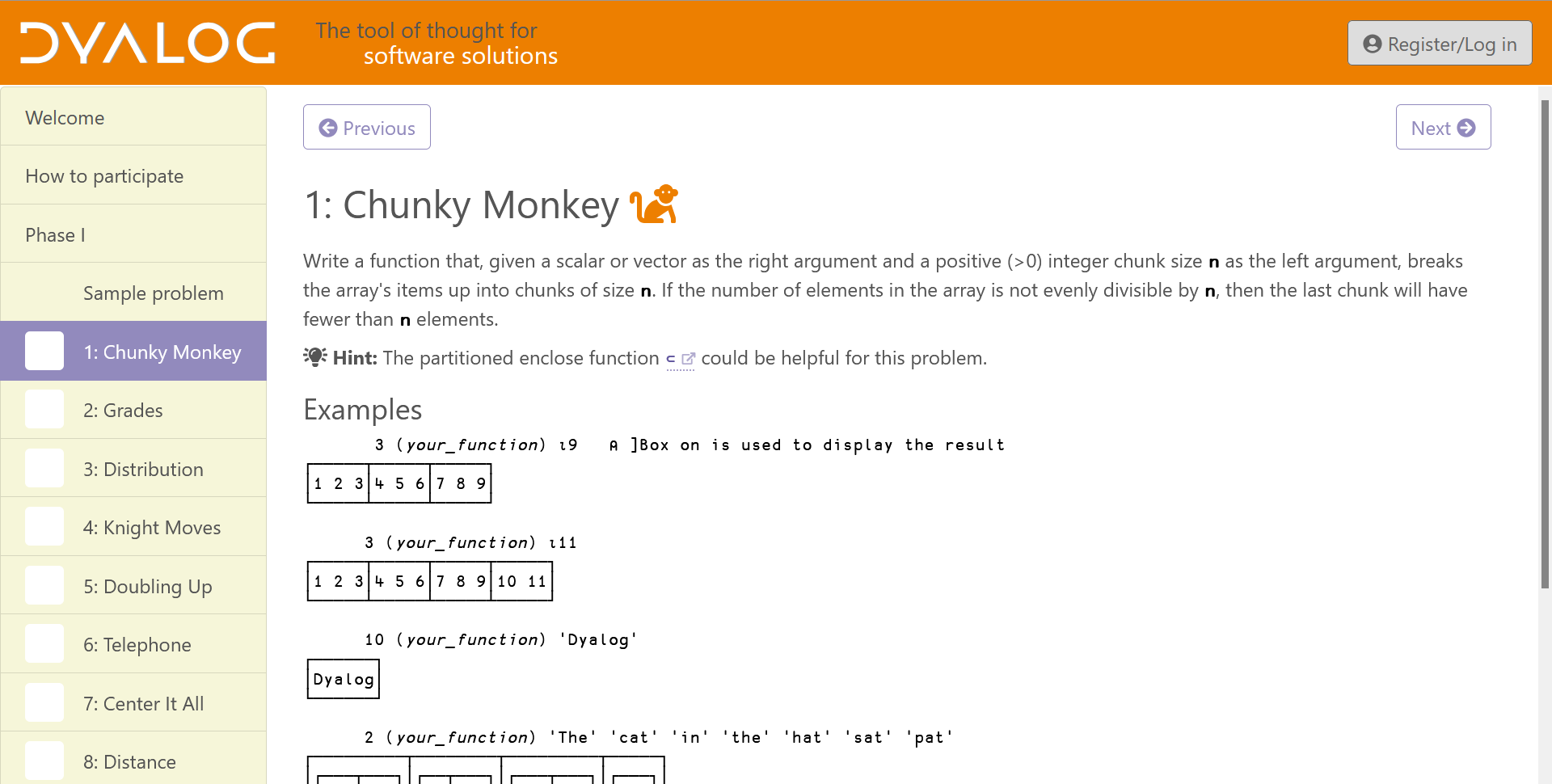
In a former life, I wrote an APL-based full-text search engine for searching legislative and regulatory texts. At the time, its speed rivalled any of the online search engines. In that governmental context, words like “the” and “of” have significance, for example, the “the” in “the white house” is significant, as are the “of” and “the” in “speaker of the house”. Most search engines would ignore those high-frequency “noise” words – mine couldn’t. My goal was to be able to search for such phrases without having to examine the data for the high-frequency words. I found this to be an interesting problem at the time (in the 1990s) and subsequently included it 25 years later as the 2015 APL Problem Solving Competition Phase 2 Applications Problem 2. My original idea for this blog post was to examine approaches to that problem.
The core of the problem was straightforward – you have a list of words (vector of character vectors) and a corresponding vector of frequencies for each word. We’ll call these two vectors Words and Freqs. For those interested, the source data I used for my recent effort came from a repository that tracks Wikipedia word frequencies. The task is to, for a given phrase, break the phrase up into individual words (we’ll call this words), look up words in Words, and use the indices to extract their frequencies from Freqs. This is basic APL, the sort of thing we do all the time: Freqs[Words ⍳ words]. If we want to consider the case where a word in words isn’t found in Words, we can append 0 to Freqs.
The source for Words and Freqs has 2,765,377 words. To emulate my original work done in the 1990s when we were using only ASCII characters, I decided to remove words containing non-ASCII characters. As a result, we’re left with 1,905,526 words.
Tangent #1 – ⎕CSV
If you’re interested in obtaining Words and Freqs yourself, you can download the raw data file and use ⎕CSV and a bit of code:
      (Words Freqs)←⎕CSV⍠('Separator' ' ')('Invert' 2)⊢'{your-path-here}/enwiki-2023-04-13.txt' ''(1 2)
      (Words Freqs)/⍨←⊂Words(∧/∊)¨⊂⎕C⎕A ⍝ limit words to ASCII alphabetics
⎕CSV can do some amazing things. Adám Brudzewsky made a very interesting video on Parsing content from text files using ⎕CSV.
From that list, the five most and least frequent words are:
      ⍉↑5(↑,-⍛↑)¨Words Freqs ⍝ look mom! I used ⍛ (behind)!
 the          186631452
 of            88349543
 in            76718795
 and           76039670
 a             54631147
 byodoinji            3
 houryuuji            3
 groendorpen          3
 witotoanas           3
 kimely               3
Interestingly, it seems a word must occur at least 3 times in Wikipedia to make it into this list. Okay, enough background information…
Distraction #1
In my testing, I found that, when words exceeded 3 elements, things slowed down a lot. For example:
      ]RunTime -c "Words⍳'the' 'big' 'dog'" "Words⍳'the' 'big' 'fuzzy' 'dog'"
  Words⍳'the' 'big' 'dog'         → 1.3E¯4 |       0%
* Words⍳'the' 'big' 'fuzzy' 'dog' → 2.5E¯1 | +202400% ⎕⎕⎕⎕⎕⎕⎕⎕⎕⎕⎕⎕⎕⎕⎕⎕⎕⎕⎕⎕⎕⎕⎕⎕⎕⎕⎕⎕⎕⎕⎕⎕⎕⎕⎕⎕⎕⎕⎕⎕
One would expect the performance to degrade linearly with the number of words. This appears to be true until you reach 4 elements in the right argument. Let’s create some test cases using lists of 1 to 6 words; since ‘the’ is the first word in the list, these searches should be as fast as possible.
(p1 p2 p3 p4 p5 p6)←1 2 3 4 5 6⍴¨⊂'the'
Now let’s see what happens when we search for lists of 1 to 4 words:
      ]RunTime -c Words⍳p1 Words⍳p2 Words⍳p3 Words⍳p4
  Words⍳p1 → 2.1E¯2 |     0% ⎕⎕⎕
* Words⍳p2 → 4.2E¯2 |  +102% ⎕⎕⎕⎕⎕⎕
* Words⍳p3 → 6.2E¯2 |  +204% ⎕⎕⎕⎕⎕⎕⎕⎕⎕⎕
* Words⍳p4 → 2.6E¯1 | +1147% ⎕⎕⎕⎕⎕⎕⎕⎕⎕⎕⎕⎕⎕⎕⎕⎕⎕⎕⎕⎕⎕⎕⎕⎕⎕⎕⎕⎕⎕⎕⎕⎕⎕⎕⎕⎕⎕⎕⎕⎕
It looks linear for lengths 1 to 3, but jumps at length 4. If we look at lengths 4 to 6, we see a linear pattern, albeit considerably slower.
      ]RunTime -c Words⍳p4 Words⍳p5 Words⍳p6
  Words⍳p4 → 2.5E¯1 |  0% ⎕⎕⎕⎕⎕⎕⎕⎕⎕⎕⎕⎕⎕⎕⎕⎕⎕⎕⎕⎕⎕⎕⎕⎕⎕⎕⎕⎕⎕⎕⎕⎕⎕⎕⎕⎕⎕⎕
* Words⍳p5 → 2.5E¯1 | +1% ⎕⎕⎕⎕⎕⎕⎕⎕⎕⎕⎕⎕⎕⎕⎕⎕⎕⎕⎕⎕⎕⎕⎕⎕⎕⎕⎕⎕⎕⎕⎕⎕⎕⎕⎕⎕⎕⎕⎕
* Words⍳p6 → 2.6E¯1 | +4% ⎕⎕⎕⎕⎕⎕⎕⎕⎕⎕⎕⎕⎕⎕⎕⎕⎕⎕⎕⎕⎕⎕⎕⎕⎕⎕⎕⎕⎕⎕⎕⎕⎕⎕⎕⎕⎕⎕⎕⎕
What’s going on?! After a bit of research (I asked Morten!), I found that Dyalog is hashing Words extemporaneously when words exceeds 3 elements. Because the hash table is not retained, Words is hashed for each iteration in ]RunTime, causing the slowdown.
Since creating the hash table is a relatively expensive operation, it only makes sense to do if there is a mechanism to retain the table from which subsequent searches can benefit or the right argument is long enough to justify the upfront cost.
Tangent #2 – A Brief History of Hashing in Dyalog APL
First, a bit of terminology – search functions have a “principal” argument (the array being searched) and a “subject” argument (the items being searched for). In the example above, Words is the principal argument and words is the subject argument.
Hashing, in one form or another, has existed in Dyalog APL from its earliest days; it’s an industry standard technique. The interpreter decides, based on a number of factors, whether to hash an array extemporaneously or not. This hashing is an internal process and beyond the user’s control.
Dyalog v10.0, released in 2003, gave users the ability to bind a search function like ⍳ (index of), ∊ (membership), ∩ (intersection), ∪ (union), or ~ (without) to its principal argument, resulting in a derived function that will, on its first invocation, create and retain a hash table. The disadvantage of this is that the hash table is used exclusively for the bound search function. If you needed to use more than one search function you would bind them individually and each would have its own hash table.
Dyalog v15.0, released in 2016, introduced 1500⌶ (hash array). This allows the user to mark an array for hashing and, after the first search operation creates the hash table, the hash table is available for all applicable search functions. array←1500⌶array returns a copy of array that is marked for hashing. The hash is created on the first invocation of a search function on array. 1(1500⌶)array returns 0 if array has not been marked for hashing, 1 if array has been marked for hashing but the hash has not been created yet, and 2 if array has a hash table. For example:
      1 (1500⌶) Words ⍝ not marked yet
0
      Words←1500⌶ Words ⍝ mark for hashing
      1 (1500⌶) Words
1
      Words⍳⊂'the' ⍝ perform a search (this is a bit slow)
      1 (1500⌶) Words ⍝ Words now has a hash table
2
      Words,←⊂'thermoflocker' ⍝ add a new word to the tail end
      1 (1500⌶) Words ⍝ still hashed
2
      Words← 1 ↓ Words ⍝ drop something from the front end
      1 (1500⌶) Words ⍝ no longer hashed nor marked for hashing
0
The size of the hash table can impact performance. In general, larger hash tables result in faster lookups. Dyalog v19.0, released in 2024, introduced 8468⌶ (hash table size), which allowed the user to adjust the size factor of created hash tables. Its purpose was to allow users to evaluate the potential side effects of a proposed larger hash table size.
Hash tables in Dyalog APL work best with (mostly) static principal arrays. In general, modifying the array invalidates the hash and the array will need to be rehashed. However, there are three forms of modified assignment that will preserve and efficiently update the hash – notice that they all involve the tail end of the principal array.
      R,←Y    ⍝ only for scalar or vector R
      R⍪←Y
      R↓⍨←Y   ⍝ only for negative singleton Y
Dyalog v20.0, released in 2025, implemented hash tables that are 8 times (2*3) larger than previously and also removed 8468⌶. More on this later…
Why Hash?
The simplistic approach to search functions like ⍳ and ∊ is to perform a linear search, starting at the first element of the principal argument and iterating through its elements until you find a match. Obviously, elements that occur near the front will be found faster. In a worst case, searching for an element that’s not in the principal argument will have to search its entirety. Doing a linear search on the first word in Words and for a word not found in Words demonstrates this:
      ]RunTime -c "Words⍳⊂'the'" "Words⍳⊂'thermoflocker'"
  Words⍳⊂'the'           → 0.0E0  |    -100%
* Words⍳⊂'thermoflocker' → 2.0E¯2 | +250200% ⎕⎕⎕⎕⎕⎕⎕⎕⎕⎕⎕⎕⎕⎕⎕⎕⎕⎕⎕⎕⎕⎕⎕⎕⎕⎕⎕⎕⎕⎕⎕⎕⎕⎕⎕⎕⎕⎕⎕⎕
Hashing smooths out this variability and makes all lookups relatively similar in performance, not to mention considerably faster. Doing the same search on aWords, a hashed version of Words, shows this.
      ]RunTime -c "aWords⍳⊂'the'" "aWords⍳⊂'thermoflocker'"
  aWords⍳⊂'the'           → 2.1E¯7 |   0% ⎕⎕⎕⎕⎕⎕⎕⎕⎕⎕⎕⎕⎕⎕⎕⎕⎕⎕⎕⎕⎕⎕⎕⎕⎕⎕⎕⎕⎕⎕⎕⎕⎕⎕⎕⎕
* aWords⍳⊂'thermoflocker' → 2.4E¯7 | +11% ⎕⎕⎕⎕⎕⎕⎕⎕⎕⎕⎕⎕⎕⎕⎕⎕⎕⎕⎕⎕⎕⎕⎕⎕⎕⎕⎕⎕⎕⎕⎕⎕⎕⎕⎕⎕⎕⎕⎕⎕
“I Feel the Need for Speed” (Top Gun, 1986)
Let’s revisit the issue that led us down the hashing path. We’ll create a hashed copy of Words, but leave Words alone so that we can compare performance. We’ll also create a function bound with ⍳.
      hWords←1500⌶Words ⍝ hWords is marked for hashing
      hWords⍳⊂'the'      ⍝ first search creates the hash table
1
      fWords←Words∘⍳      ⍝ also create the derived function
      fWords ⊂'the'      ⍝ first search creates the hash table
1
      p←'the' 'big' 'fuzzy' 'dog'
      ]RunTime -c "hWords ⍳ p" "fWords p" "Words ⍳ p"

  hWords ⍳ p → 0.0E0  |    -100%
  fWords p → 0.0E0    |    -100%
  Words ⍳ p  → 3.5E¯1 | +556800% ⎕⎕⎕⎕⎕⎕⎕⎕⎕⎕⎕⎕⎕⎕⎕⎕⎕⎕⎕⎕⎕⎕⎕⎕⎕⎕⎕⎕⎕⎕⎕⎕⎕⎕⎕⎕⎕⎕⎕⎕
Once we have a retained hash table, all lookups, no matter the length of words, will be faster.
Tangent #3 – When Does a Principal Argument Get Hashed?
The short answer is: it depends on a number of factors, such as:
- whether a search function like
⍳or∊is used - the sizes of the principal and subject arrays
- the datatypes of the arrays – character, integer, floating point, complex
- are the arrays simple (depth 0 or 1) or not?
- the amount of workspace available – can it fit the hash table?
In short, Dyalog APL hashes an array when it “thinks” doing so will help. However, you know your application and its data better than the interpreter does. In my example above, the interpreter can’t know if my search is a one-time thing or something that will be executed many times.
How can you determine where hashing kicks in? What I did was to start with a single element subject argument and increase its length until I saw a “bump” in runtime:
      iv←1e7?2*24  ⍝ build 10-million element integer vector with no duplicates

      ⍝ now time lookups for subject arrays of length 1 to 15
      ⎕SE.UCMD 'runtime -c',∊' iv⍳iv['∘,¨(⍕¨⍳15),¨⊂'⍴5000000]'
  iv⍳iv[1⍴5000000]  → 1.0E¯3 |     0%
* iv⍳iv[2⍴5000000]  → 2.1E¯3 |  +100% ⎕
* iv⍳iv[3⍴5000000]  → 3.2E¯3 |  +206% ⎕
* iv⍳iv[4⍴5000000]  → 4.3E¯3 |  +315% ⎕⎕
* iv⍳iv[5⍴5000000]  → 5.3E¯3 |  +412% ⎕⎕
* iv⍳iv[6⍴5000000]  → 6.2E¯3 |  +503% ⎕⎕⎕
* iv⍳iv[7⍴5000000]  → 7.3E¯3 |  +609% ⎕⎕⎕
* iv⍳iv[8⍴5000000]  → 8.4E¯3 |  +718% ⎕⎕⎕⎕
* iv⍳iv[9⍴5000000]  → 9.3E¯3 |  +800% ⎕⎕⎕⎕
* iv⍳iv[10⍴5000000] → 1.0E¯2 |  +909% ⎕⎕⎕⎕⎕
* iv⍳iv[11⍴5000000] → 9.2E¯2 | +8784% ⎕⎕⎕⎕⎕⎕⎕⎕⎕⎕⎕⎕⎕⎕⎕⎕⎕⎕⎕⎕⎕⎕⎕⎕⎕⎕⎕⎕⎕⎕⎕⎕⎕⎕⎕⎕⎕⎕⎕⎕
* iv⍳iv[12⍴5000000] → 9.1E¯2 | +8757% ⎕⎕⎕⎕⎕⎕⎕⎕⎕⎕⎕⎕⎕⎕⎕⎕⎕⎕⎕⎕⎕⎕⎕⎕⎕⎕⎕⎕⎕⎕⎕⎕⎕⎕⎕⎕⎕⎕⎕⎕
* iv⍳iv[13⍴5000000] → 9.2E¯2 | +8818% ⎕⎕⎕⎕⎕⎕⎕⎕⎕⎕⎕⎕⎕⎕⎕⎕⎕⎕⎕⎕⎕⎕⎕⎕⎕⎕⎕⎕⎕⎕⎕⎕⎕⎕⎕⎕⎕⎕⎕⎕
* iv⍳iv[14⍴5000000] → 9.2E¯2 | +8821% ⎕⎕⎕⎕⎕⎕⎕⎕⎕⎕⎕⎕⎕⎕⎕⎕⎕⎕⎕⎕⎕⎕⎕⎕⎕⎕⎕⎕⎕⎕⎕⎕⎕⎕⎕⎕⎕⎕⎕⎕
* iv⍳iv[15⍴5000000] → 9.2E¯2 | +8806% ⎕⎕⎕⎕⎕⎕⎕⎕⎕⎕⎕⎕⎕⎕⎕⎕⎕⎕⎕⎕⎕⎕⎕⎕⎕⎕⎕⎕⎕⎕⎕⎕⎕⎕⎕⎕⎕⎕⎕⎕
Can you spot where hashing kicks in? That’s right – when the subject array exceeds 10 elements. But what if my subject array is only ever a single element? Then you need to determine whether the one-time cost of building the hash table is less than the accumulated time of subsequent lookups. Once hashed, all lookups are faster.
One caveat about using the ]RunTime user command – the cost of creating the hash table on the first lookup of a hashed array is lost because ]RunTime executes each expression once before collecting timing information. ⎕PROFILE provides a more accurate picture:
     ∇ r←test_iv;iv;hiv;_;d;l;t;i
[1]    iv←10000000?2*24 ⍝ 10,000,000 integers in the range 1-2*24
[2]    hiv←1500⌶iv      ⍝ hiv is marked for hashing
[3]    i←5000000⊃iv     ⍝ search for the middle element
[4]   l1:⎕PROFILE¨'stop' 'clear' 'start'
[5]    _←iv⍳i  ⍝ unhashed lookup
[6]    _←hiv⍳i ⍝ first hashed lookup (creates hash table)
[7]    _←hiv⍳i ⍝ subsequent hashed lookup
[8]   l2:⎕PROFILE'stop'
[9]    d←⎕PROFILE'data'
[10]   l←l1+⍳l2-l1+1
[11]   r←(↓'%',⍨⍕⍪⌊0.5+100ׯ1+t÷⌊/t),(⎕NR⊃⎕SI)[1+l],⍨3⍕⍪t←d[;4]⌿⍨d[;2]∊l
[12]   ⎕PROFILE'clear'
     ∇

      test_iv
   1044%   1.047  _←iv⍳i  ⍝ unhashed lookup
 236125% 216.147  _←hiv⍳i ⍝ first hashed lookup (creates hash table)
      0%   0.092  _←hiv⍳i ⍝ subsequent hashed lookup
In this case, the cost of creating the hash table is about 200× the cost of doing a single lookup. Subsequent hashed lookups are about 10× faster. It’s up to you, and your understanding of your application, to determine whether retaining the hash table is worth it.
TANSTAAFL (There Ain’t No Such Thing As A Free Lunch)
The other cost of using hash tables for faster searching is that hash tables take up space. Remember when I mentioned that the default hash table size in Dyalog v20.0 is 8x larger than previously? The working theory is that larger hash tables ought to result in faster searches, but how much faster and at what cost in space? Unfortunately there isn’t a direct way to measure the hash table size. You have to look at the differential in ⎕WA before and after creating the hash table:
      ]Config MAXWS
 MAXWS  1GB

      cf ⎕SIZE'Words' ⍝ cf is a utility to comma-format numbers
97,547,968

      cf ⎕WA-⍨(hWords⍳⊂'the')⊢(hWords←1500⌶Words)⊢⎕WA
268,435,664
In my 1GB workspace, the hash table for Words is 268MB and 2.75× the size of the Words itself. In Dyalog v20.0, we removed 8468⌶ which would allow you to set a scaling factor for the hash table size; there is an experimental I-Beam currently being developed, 8470⌶1 which does much the same thing. 8470⌶1 factor, where factor is an integer in the range ¯3 to 3, will increase or decrease the hash table size by 2*factor times. When Dyalog v20.0 was initially released, the default value for factor was 0 but based on feedback it’s now ¯3 Let’s use this to examine its effect on hash table size. I wrote an ugly little operator, set, to build hash tables with specified scaling factors and look at the ⎕WA differential after each:
      ]Config MAXWS
 MAXWS  10GB
      'abcdefg' ('Words'set) ¯4+⍳7
 aWords  ¯3       33,555,104
 bWords  ¯2       67,109,536
 cWords  ¯1      134,218,400
 dWords   0      268,436,128
 eWords   1      536,871,584
 fWords   2    1,073,742,496
 gWords   3    2,147,484,320
As expected, each hash table grows by a factor of 2.
Tangent #4 – Mapped Files
The ⎕MAP system function associates a mapped file with an array in the workspace. One of the client projects I’ve worked on involves loading CSV data with 47 million records of 85 fields, totalling about 7.5GB. Each field is stored in a separate ⎕MAP-compatible file. In a 4GB workspace, I’m able to map all 85 files and have it seemingly consume only a bit over 2MB of workspace:
      ]Config MAXWS
 MAXWS  4GB

      ⍝ MapFiles maps 85 files into variables in a namespace named Data
      cf wa←⎕WA ⋄ MapFiles ⋄ cf wa-⎕WA
4,284,076,808
2,009,600

      cf +/Data.(⎕SIZE ⎕NL ¯2)
7,577,998,192
Pretty neat huh? This makes 7.5GB of data available in a 4GB workspace!
One of the fields, Data.Record_ID, is a 16-column character matrix and has a size of about 760MB:
      ⍴Data.Record_ID
47647772 16
      cf ⎕SIZE 'Data.Record_ID'
762,364,392
Let’s bind ⍳ with Data.Record_ID:
      lFind←Data.Record_ID∘⍳     ⍝ create the bound function
      lFind 1↑Data.Record_ID     ⍝ create the hash table
WS FULL
      fRec 1↑Data.Record_ID
      ∧
Uh oh… It seems we don’t have enough room in a 4GB workspace for the hash table. Let’s start a new session with 10GB:
      ]Config MAXWS
 MAXWS  10GB
      lFind←Data.Record_ID∘⍳
      cf ⎕WA-⍨(lFind 1↑Data.Record_ID)⊢⎕WA
8,589,934,752
With the Dyalog v20.0 default scaling factor, the hash table takes 8.5GB of my 10GB workspace. That’s a hefty chunk. What if we try the smallest scaling factor, ¯3?
      8470⌶1 ¯3
0
      sFind←Data.Record_ID∘⍳
      cf ⎕WA-⍨(sFind 1↑Data.Record_ID)⊢⎕WA
 1,073,741,984
That’s more manageable and would fit in my 4GB workspace. Why did I use a bound function rather than 1500⌶ on Data.Record_ID? Currently, 1500⌶ doesn’t work with mapped files, but this may be taken under consideration in the future.
      z←1500⌶Data.Record_ID
DOMAIN ERROR
      z←1500⌶Data.Record_ID
            ∧
Tangent #5 – What Timer Is It?
The ]runTime user command is a wonderfully easy tool to use to get a rough idea of performance and it remains a staple in my toolbox. runtime is based on cmpx which is found in the dfns workspace. I’ve found that runtime‘s results can sometimes vary significantly from one invocation to the next. Dyalog APL provides several system functions to help collect performance data:
⎕AI, one of whose elements is cumulative CPU time of your session. You can use the before and after differential of⎕AIto get an approximate idea of the speed of an expression. This is whatruntimeandcmpxuse.⎕MONITOR, which can be used to turn monitoring on for specific lines of a function.⎕PROFILE, the “heavy hitter” of performance measurement. Even though its primary use case is profiling the performance of entire applications, I still find it useful to get impressive-looking, high-precision, performance data.
I have a template that I use when I want to use ⎕PROFILE to compare performance of expressions:
     ∇ r←timer n;i;d;l;t
[1]   ⍝ n is the number of iterations to run
[2]   ⍝ r is [;1] the relative percents based on the fastest expression
[3]   ⍝      [;2] the accumulated time in ms for the expression
[4]   ⍝      [;3] the expression
[5]    ⎕PROFILE¨'stop' 'clear' 'start'
[6]   l1: :For i :In ⍳n
[7]   ⍝ insert expressions to time between l1 and l2
[8]   l2: :EndFor
[9]    ⎕PROFILE'stop'
[10]   d←⎕PROFILE'data'
[11]   l←l1+⍳l2-l1+1
[12]   r←(↓'%',⍨⍕⍪⌊0.5+100ׯ1+t÷⌊/t),({⍵↓⍨+/∧\' '=⍵}¨(⎕NR⊃⎕SI)[1+l]),[1.1]⍨↓3⍕⍪t←d[;4]⌿⍨d[;2]∊l
[13]   ⎕PROFILE'clear'
     ∇
The Speed/Space Tradeoff
We saw earlier that different scaling factors result in different size hash tables, but what’s the impact on the speed of searching? Using our 7 hashed versions of Words and running 1,000,000 iterations:
 9%   547.303  _←aWords⍳phrase
 6%   534.984  _←bWords⍳phrase
 0%   504.180  _←cWords⍳phrase
 0%   504.822  _←dWords⍳phrase
 0%   505.082  _←eWords⍳phrase
 0%   505.404  _←fWords⍳phrase
 0%   504.561  _←gWords⍳phrase
In this example, the smallest hash table, aWords runs 9% slower than the 8-times-larger default, dWords. There’s no significant speedup using a hash table larger than cWords, at half the default size.
Let’s take a look at my 47-million record table. Since 1500⌶ doesn’t work (yet) with mapped files, we’ll have to use function binding. First, we’ll use the default setting of 8470⌶1 0 to create an 8.5GB hash table and then use 8470⌶1 ¯3 to create a hash table 1/8 (2*¯3) the default size or about 1GB.
      {}8470⌶1 0 ⋄ b←⎕WA ⋄ lfind←Data.Record_ID∘⍳ ⋄ {}lfind 2↑Data.Record_ID ⋄ cf b-⎕WA
  8,589,934,808
      {}8470⌶1 ¯3 ⋄ b←⎕WA ⋄ sfind←Data.Record_ID∘⍳ ⋄ {}sfind 2↑Data.Record_ID ⋄ cf b-⎕WA
  1,073,742,040
      recs←Data.Record_ID[10?≢Data.Record_ID;]
      timer 1e6
  0%    920.916  _←lfind recs
 11%   1025.790  _←sfind recs
Is an 11% speedup worth an extra 7.5GB of workspace? That’s really up to you and your priorities for your application.
The Long and Winding Blog (with apologies to The Beatles)
Let’s try to summarize…
If your application needs to search data that’s “mostly” static, you can benefit from using retained hash tables. By “mostly”, I mean that the only changes to the array are adding or deleting elements from the end. A typical scenario might be, during application initialization, load the data into the workspace, or map a file, and do a search, thereby creating the hash table. Then all subsequent uses of search functions on that array will be considerably faster.
I’ve got some ideas on things that we at Dyalog Ltd might want to consider doing. Most of these involve empowering the user to have more control over how and when hashing is done. For example, we could:
- make
8470⌶1ready for release and publish it so that users can understand how to tune hash table size for their best space/speed tradeoff. - make
1500⌶work with mapped files. - make it easier to query the size of a hash table rather than relying on
⎕WAdifferentials. - make it possible to mark an array as “unhashable”. Consider the scenario where hash-table-triggering searches are done on an array that’s not static. Whenever the array changes, the hash table is discarded, only for a new hash table to be generated on a subsequent search. In this case, it’s probably better that the interpreter fall back to a non-hashing approach.
- Make it possible to monitor where, when, and how often extemporaneous hashing is done.
Disclaimers – YMMV (Your Mileage May Vary)
The examples shown in this post are a very small sampling of possible hashing scenarios. They were run on my 32GB Lenovo laptop using Windows 11 and Dyalog v20.0. Your environment and hashing opportunities are likely to be different. In writing this post, I hope to have accomplished spurring you on to do your own investigations as there are potentially significant benefits to be explored.
I was caught off guard by the apparent slowdown due to the interpreter repeatedly hashing Words extemporaneously. This led me to try to understand how and when hashing is done and what tools are available to the user. I feel I’ve been marginally successful at this, but it feels like there is still much to learn.
Addendum
I wrote the above in January 2026. Sharing my findings with the Dyalog development team set in motion an initiative to review some aspects of doing lookups. One result of this initiative was to change the default scaling factor for hash table size (8470⌶1 x) from 0 to ¯3. This means that, by default, hash tables in the latest releases of Dyalog v20.0 are 1/8 the size that they were before. Changing to a smaller hash table scaling factor results in slightly slower lookups, but at a significant savings in workspace consumed.
Other work looking at the performance of lookup functions is being undertaken.
Lookups are Complicated
When you use a lookup function like ⍳ or ∊, the interpreter attempts to pick the best technique, in order from simplest to most complex, between doing a linear search, using a lookup table, or using a hash table. The decision is based on datatype, size, and depth of the arguments, workspace available, and whether the cost of doing the setup of a more complex technique is likely to result in faster overall execution. In general, the interpreter does a good job of deciding. That doesn’t mean there aren’t exceptions. Again, this is where you come in – you know your data and how it’s used.
 Follow
 When Martin joined Dyalog last year, he confessed to a secret identity… beneath the formal attire hides a medieval merchant! Twelve months later, we’ve noticed the resemblance runs deeper than the tunic. Martin is, in fact, a bit like Batman. He comes and goes at odd hours, responds best when there’s a symbol in the sky (or a ticket in the Technical Services queue!), and quietly solves problems wherever he lands, from cable management in the Copenhagen office to overhauling Dyalog Ltd’s internal IT infrastructure. His one true nemesis remains the office printer, which continues to resist all attempts at diplomacy. Replacing it may be next year’s headline project.